What a rubric holds in Brightspace
Inside Brightspace, a rubric’s wording, levels, scoring, weights, identifiers, and links to the rest of the package live in the platform’s XML. Getting that information into a document someone can edit is one problem; turning a revised or new rubric back into a valid package is another, and far more likely to change what the rubric means without anyone noticing.
So Rubric Loom has no single “convert” button. It has two doors, Unravel and Weave, and each stops for review where its own job needs it.
Unravel and Weave
Both doors run in the same engine, the rubric bundle, and when either meets a structure it does not recognize, it reports it rather than asking a model, or an optimistic default, to guess what it means.
Unravel
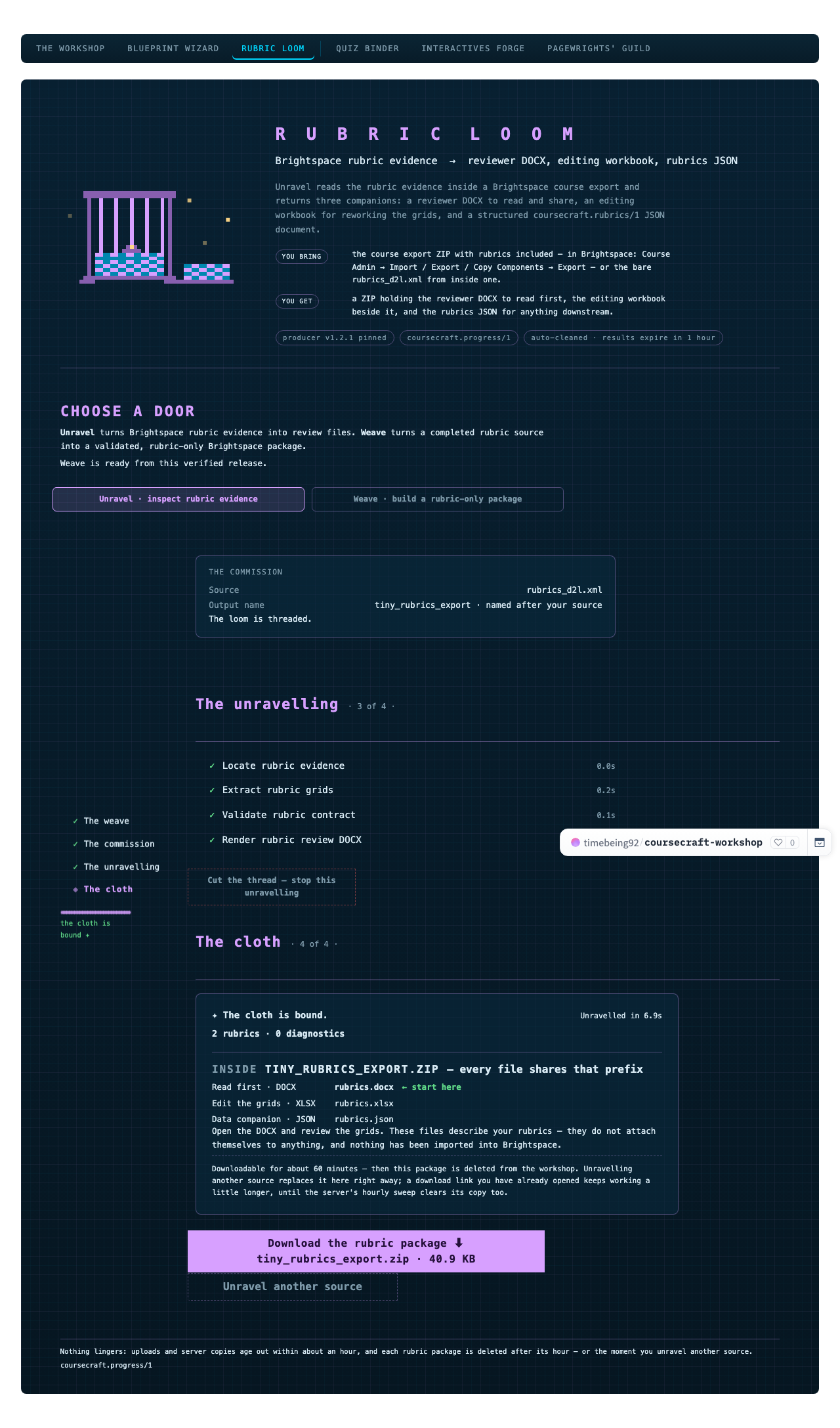
A reviewer reads the Word document, whoever reworks the rubric edits the Excel workbook, and other tools read the coursecraft.rubrics/1 JSON, written to a versioned schema (a fixed, documented format). In bulk mode, each course gets its own result folder and log, so one export that fails, or has no rubrics, does not hide the rest.
Unravel keeps the wording and values exactly as written, so an extraction never turns into an unmarked redesign.
Weave
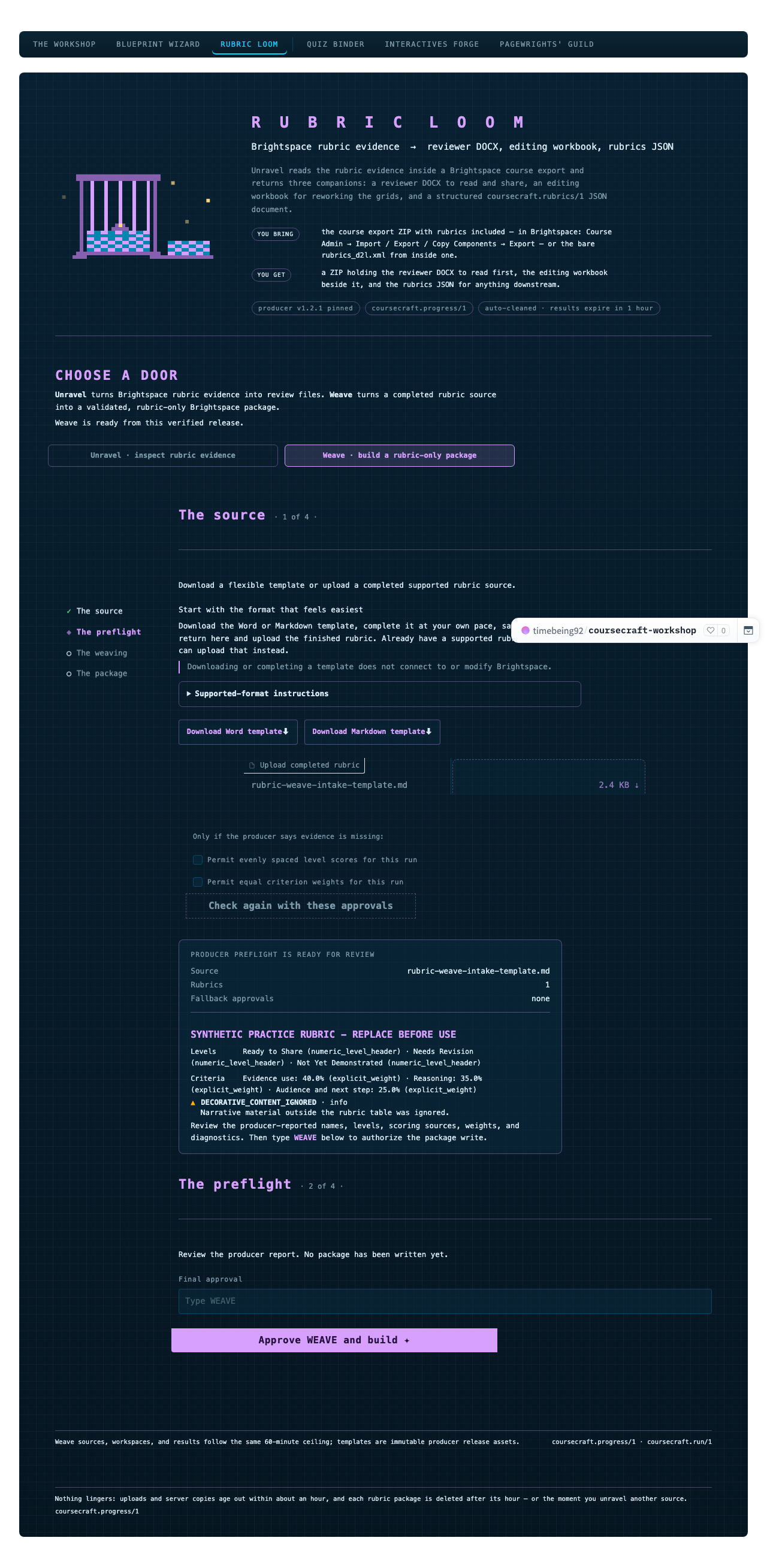
Weave runs the other way, the direction in which meaning can change, so it writes nothing until a person has seen how it read the rubric.
What stays with a person
After a Weave build
Rubric Loom creates and validates a rubric-only package. A person still reviews it, imports it, and attaches the imported rubric by hand to the right assignment, discussion, or quiz.
Rubric Loom does not quietly invent a rubric’s labels, levels, scores, or weights. Missing required evidence stops the build unless the bundle has diagnosed the gap and offers a permitted fallback, and even then the person must choose it, run the preflight again, and authorize the build. Downloading or filling in a template changes nothing in Brightspace.
The tool automates the XML, the normalization, the packaging, and the validation; decisions about scoring, and any change to the course in Brightspace, stay with a person.
Local and hosted
| Local Rubric Loom | Hosted CourseCraft Workshop |
|---|---|
| Best for institutional rubric evidence and routine work | Best for zero-install exploration with synthetic or approved material |
| Inputs and outputs stay on the user’s computer | Uploads enter a time-limited hosted runtime |
| Managed releases verify a complete Runner/Bundle pair and preserve user work across updates | Each tool appears in the Workshop only when its pinned bundle and capabilities pass verification |
| Supports Unravel and Weave without an AI model reading the files | Presents the same bundle’s preflight, diagnostics, artifacts, and receipts in a browser |
| Primary path for real rubric work | Secondary demonstration and colleague-review path |
The CourseCraft Workshop, the hosted demonstration, keeps Unravel and Weave apart, removes working folders when a run ends, and keeps a visitor’s uploads and results for about an hour at most. When files must not go to a hosted service, the local application is the one to use.
The runner and the bundle
The runner, the application a person installs, handles launch, setup, pairing with the right bundle release, updates, rollback, and the guided screens. The bundle handles the rubric itself: reading and extracting it, applying the scoring rules, building and validating the XML, and writing the files that go to Brightspace.
Download, inspect, or try it
- Download Rubric Loom Runner 1.0.2: the managed release, which is the normal way to install it.
- Inspect the Rubric Loom runner: launchers, the guided experience, release pairing, update verification, and rollback.
- Inspect the rubric bundle: Unravel and Weave, schemas, preflight, validation, and receipts.
- Try the CourseCraft Workshop: a hosted demonstration that may take a moment to wake after a period of inactivity.
Rubric Loom keeps review, fallback decisions, building the package, import, and attachment as separate acts. The other CourseCraft tools treat reading a course, developing a schema, and keeping a record of sources the same way.
The CourseCraft tools → See Blueprint Wizard →Sources, and what is left out
Local release versions were checked on 2026-11-20. The screenshots use the bundle’s own synthetic examples, and the hosted capture keeps its date and its
v1.2.1label. No rubric, course, learner, or credential data from any institution appears on this page.