The problem
A Brightspace export is rich in evidence but hard to review from. The useful facts are spread across manifests, XML files, linked pages, rubrics, grade items, and package metadata, and a static report can summarize one run but cannot easily answer the questions a reviewer asks:
- Where does practice lead into assessed work?
- Which activities use a rubric or grade item?
- What is directly present in the source, and what is an interpretation?
- Has this course already been ingested, or is this a changed export of the same source?
- Which gaps need attention before anyone makes a curriculum claim?
Putting rows in a database is the easy part. The hard part is keeping each fact’s source, its uncertainty, and any human judgment attached to it while still making the evidence pleasant to use.
How the Catalog takes in evidence
The Catalog reads only what the blueprint bundle, the engine behind Blueprint Wizard, has already written: versioned files in documented schemas. It does not parse Brightspace XML itself, so it does not form a second, private reading of the export.
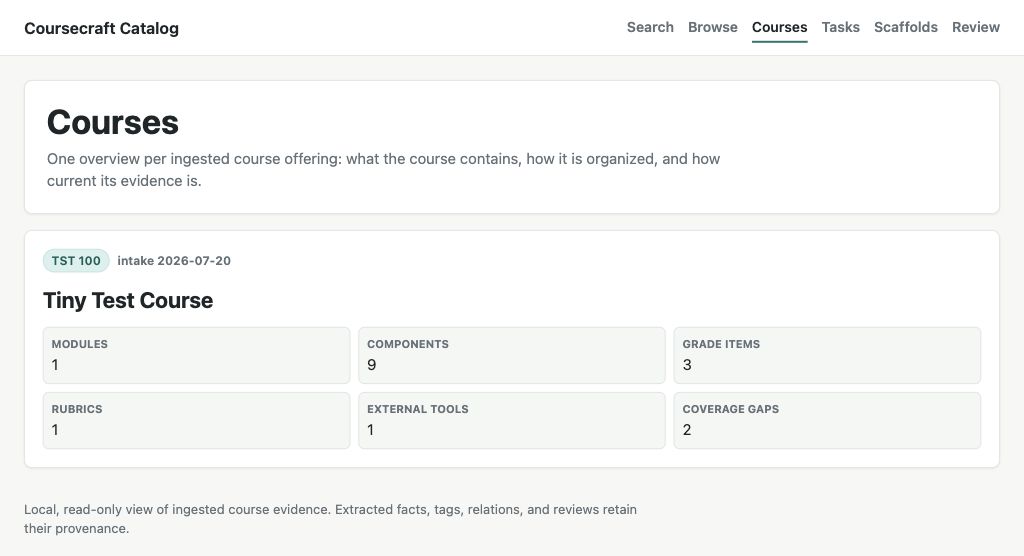
Synthetic test data only. The interface orients a reviewer to what was ingested, what the source contains, and where evidence is incomplete.
Four kinds of statement, kept apart
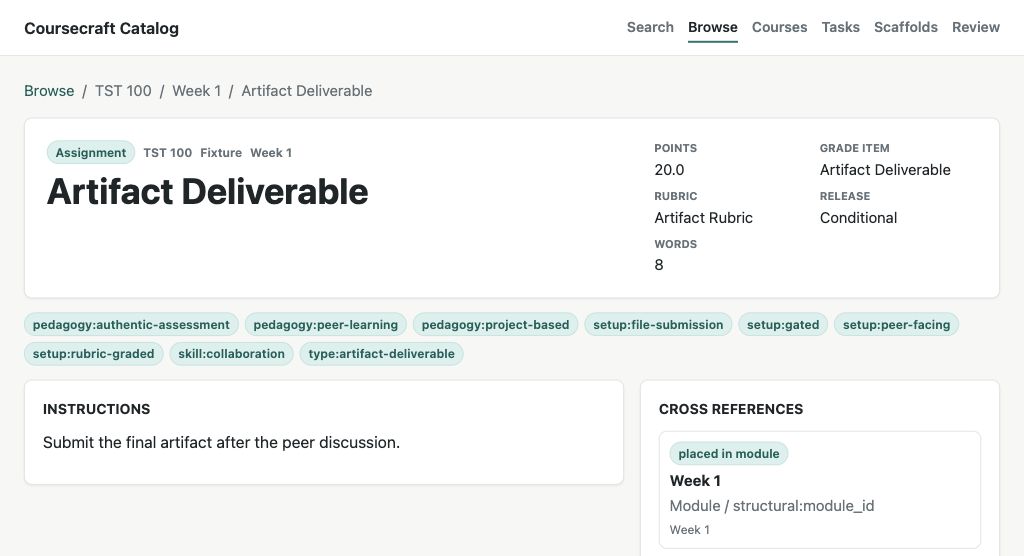
One component remains connected to its instructions, module, rubric, grade item, tags, relations, and source provenance.
The Archivist intake desk
The Archivist is the intake desk in front of the database: it checks each export before anything in the Catalog changes. Batch intake classifies against a disposable copy of the database first, and the source in the inbox is never moved or deleted.
- 01 · PreflightA Brightspace export or existing bundle output
- 02 · CopyThe evidence, into a local run folder
- 03 · VerifyIts receipt
- 04 · ClassifyIts relationship to earlier intake
Reviewing proposed relations
A relation such as “scaffolds into” is a claim about the curriculum, not just a line between two points in a graph. So the review desk shows the defined meaning of each relation, the evidence for both components it joins, the rule or model that proposed it, and how confident that proposal is.
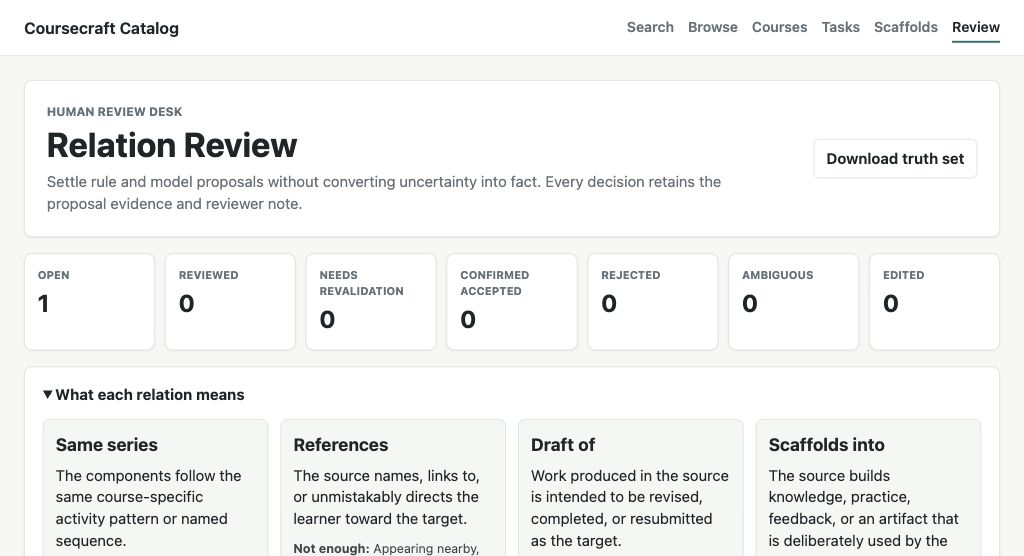
The fixture proves the review workflow, not the accuracy of a private course corpus. Only confirmed or corrected human outcomes become active human relations.
How the database keeps its history
The database has five safeguards of its own:
- numbered SQLite migrations (scripted changes to the database’s structure), each recorded with a checksum;
- a verified SQLite backup and a SHA-256 receipt before an existing database is upgraded;
- a record of each intake run, linking it to its bundle, schemas, files, and source;
- report receipts that record filters, source runs, schema version, and row counts;
- standalone curriculum-evidence snapshots that can be verified once and then used without depending for good on a neighboring repository.
With these, the Catalog shows more than what it holds today: it can explain where a fact came from, which interpretation was applied to it, and what changed later.
The prototype today
A private, local prototype
The Catalog is private and runs locally. The screenshots on this page come from a synthetic test course committed to the repository and a throwaway database. A real
catalog.db, with its intake runs, backups, and reports, can contain an institution’s course content, so all of it stays local and out of version control (gitignored). No live database, private course row, or institutional mapping is published here.
The prototype covers intake, rule-based tagging, proposing and reviewing relations, a local Catalog Reader (a web app for browsing the database), workbook exports filtered by the user, migrations, backups, and standalone curriculum snapshots. It is not a hosted service or a finished public product, and it does not show that every proposed relation in a curriculum has been reviewed.
The Catalog is the reusable system. Separate private projects use related methods to register sources, map a curriculum, and analyze a program, and none of them needs another’s repository or sensitive data in order to run.
Curriculum evidence and knowledge systems → The CourseCraft tools →